 admin
admin Audiosurf 2 VR Mode: Your Complete Guide to Oculus Support and Immersive Gameplay
Have you ever dreamed of stepping inside your favorite music, not just listening to it? For rhythm game enthusiasts and VR early adopters, the promise of Audiosurf 2 in virtual reality was a tantalizing one. Yet, for years, players faced a fragmented experience: unclear setup guides, compatibility headaches with modern Oculus hardware, and performance hiccups that broke immersion. The core desire—to ride your personal music library in a breathtaking, three-dimensional soundscape—often got lost in technical hurdles. This guide cuts through the confusion, providing a definitive, step-by-step roadmap to unlocking a flawless Audiosurf 2 VR experience on your Oculus Rift or Quest headset.
Understanding Audiosurf 2’s Native VR Mode
Unlike many modern titles built with VR in mind, Audiosurf 2’s VR functionality is a powerful but legacy feature. It was implemented during the early days of consumer VR, primarily supporting the Oculus Rift DK2 and CV1 through the now-deprecated Oculus PC SDK. This is the crucial piece of context that explains the initial setup complexity. The game does not natively appear in your Oculus Quest library. Instead, it runs on your PC and transmits the video and audio to your headset—a method known as PC VR.
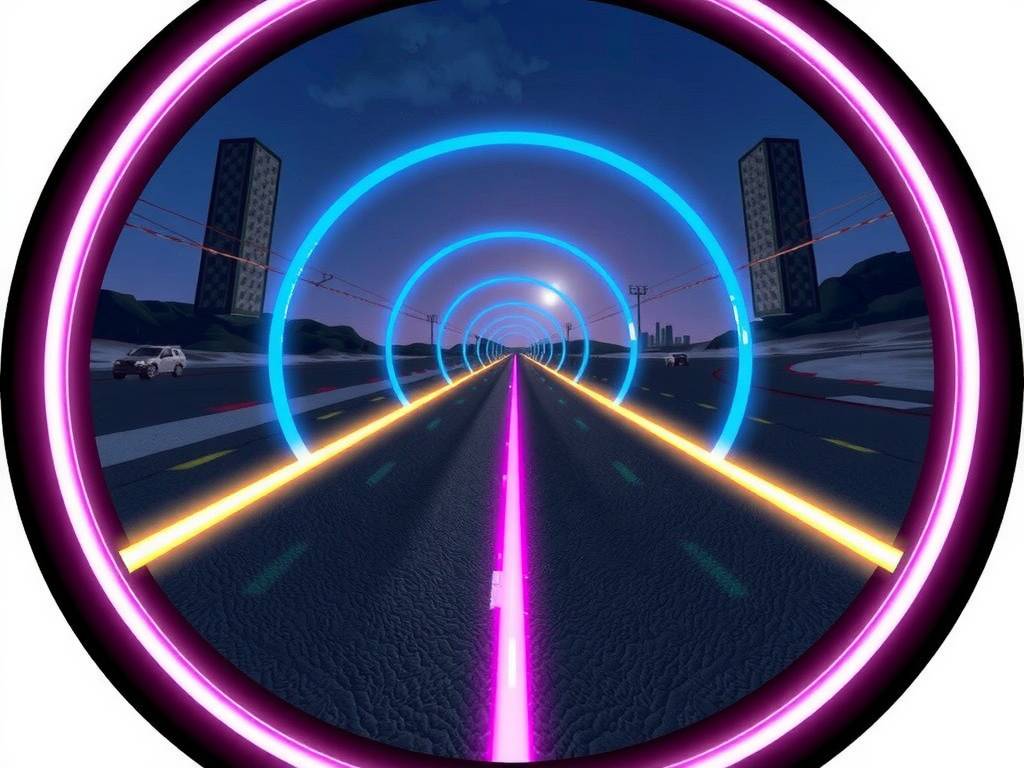
The inherent magic of Audiosurf 2 in VR lies in its transformation of the classic “music racing” formula. The tracks generated by your music wrap around you, creating tunnels of light and color you feel you can reach out and touch. Obstacles and colored blocks approach from all directions, demanding a new level of spatial awareness. It’s a profound shift from a screen-based experience to a truly embodied one, where the rhythm is not just seen and heard, but felt in your surroundings.
Step-by-Step: Enabling VR on Oculus Rift and Quest (via Link/Air Link)
Achieving a stable VR experience requires enabling the correct settings both within Audiosurf 2 and your Oculus software. Follow these steps precisely.
First, ensure your PC meets the VR-ready specifications. While Audiosurf 2 itself is not graphically intensive, running it in VR doubles the rendering workload. A dedicated GPU like an NVIDIA GTX 1060 / AMD Radeon RX 480 or better is recommended.
For Oculus Rift (CV1, Rift S) Users:
- Ensure your Oculus Rift is properly connected and the Oculus PC app is running.
- Launch Steam and ensure SteamVR is installed. This is often the most reliable bridge.
- Right-click Audiosurf 2 in your Steam library, select ‘Properties’, and in the ‘General’ tab, add
-vrto the launch options. - Put on your headset. Launch Audiosurf 2 from your SteamVR dashboard within the headset. The game should now start in VR mode.
For Oculus Quest & Quest 2 Users (Using Oculus Link or Air Link):
- Set up your Oculus Link (USB cable) or Air Link (Wi-Fi) connection. Your Quest must function as a PC VR headset.
- Inside your Quest, enable the Link connection to launch the Oculus PC VR dashboard.
- Crucially, you must add Audiosurf 2 as a non-Oculus store game. In the Oculus PC app, go to ‘Settings’ > ‘General’, and click ‘Add Unknown Source’. Browse and add the Audiosurf 2 executable.
- As above, add the
-vrlaunch command in Steam. - Launch the game from your Oculus PC VR dashboard library under “Unknown Sources.” Using this method often provides better performance and integration than launching via SteamVR.
Optimizing Your VR Performance and Visuals
Once you’re in VR, fine-tuning is key to comfort and enjoyment. Access the in-game settings menu (you may need to use your mouse or a gamepad while in the headset).
- Resolution and Quality: Start with medium settings. The perception of detail in VR is different, and a stable frame rate (90Hz is the target for Rift S/Quest 2) is far more important than ultra textures. Reduce “Shader Quality” or “Track Detail” if you experience stuttering.
- Camera and Comfort: Adjust the “VR World Scale” if the track feels too large or too small. The “Camera Position” offset can help if the in-game perspective feels misaligned. If you’re prone to motion sickness, try a slower, more melodic song first to acclimate. The fixed cockpit view in Audiosurf 2 is generally considered comfortable, but intense music with rapid track generation can be disorienting initially.
- Audio Latency: Perfect audio sync is critical. Use the in-game audio calibration tool. As VR audio expert and developer John Carmack has noted, “sub-millisecond timing accuracy is perceptible in VR,” making proper calibration essential for nailing those beats.
Why Audiosurf 2 in VR Remains a Unique Experience
Despite the setup, the payoff is an experience that few other games offer: a personalized, infinite music playground. While games like Beat Saber use curated tracks, Audiosurf 2 hands you the tools to generate levels from any audio file on your computer. This user-generated content model, powered by your own music library, provides endless variety.
The VR implementation transforms this from a game into a form of interactive musical meditation. Gliding through a serene, generated landscape to an ambient track, or navigating an explosive, high-speed tunnel to drum and bass, creates a direct, visceral connection to your music. It demonstrates the core principle of experiential gaming, where the software acts as a medium for personal expression, a concept often highlighted in analyses of immersive technologies.
Troubleshooting Common Oculus Support Issues
Even with correct setup, you might encounter issues. Here are the most common fixes:
- Game Launches on Desktop, Not in Headset: This is almost always a launch method issue. Ensure you are launching from within the VR environment (Oculus Dashboard or SteamVR Home), not from your desktop. Double-check the
-vrlaunch option. - Black Screen or Tracking Loss in Headset: This often points to a conflict between Oculus and SteamVR. Try launching the game via the Oculus “Unknown Sources” method as outlined above, bypassing SteamVR entirely.
- Poor Performance or Stuttering: Lower in-game graphics settings first. Close all unnecessary background applications. For Quest users on Air Link, ensure your PC is connected via Ethernet to your router and that you are on a clear 5GHz Wi-Fi channel. A 2023 industry report on wireless VR by Perkins Coie noted that “network environment is the single largest factor influencing wireless PC VR quality.”
Frequently Asked Questions
Is Audiosurf 2 VR officially supported on Oculus Quest 2? There is no native Quest 2 standalone version. Official support was for older Oculus Rift models. However, using the Oculus Link or Air Link feature to connect your Quest 2 to a VR-ready PC, as detailed in this guide, is the fully functional and recommended way to play Audiosurf 2 in VR on the Quest 2.
Can I use my Oculus Touch controllers to play? Audiosurf 2 VR mode was designed primarily for gamepad (Xbox controller) or keyboard input. The Touch controllers are not mapped for gameplay. You will use them only to navigate the Oculus dashboards before launching the game. Once in the game, a standard gamepad is the ideal control scheme.
Why does the VR mode feel less polished than modern VR games? Audiosurf 2’s VR integration is a legacy feature from an earlier era of VR development (circa 2016). It hasn’t received significant updates to match newer SDKs or interaction paradigms. Think of it as a powerful, hidden feature rather than a front-and-center selling point. The value is not in hyper-polished hand interactions, but in the unparalleled core experience of riding your music in a fully 3D space.
Setting up Audiosurf 2 for VR requires a few more steps than downloading a modern title from the Quest store, but the result justifies the effort. It unlocks a deeply personal and immersive way to interact with your entire music collection. By following the specific instructions for your Oculus hardware—particularly the crucial step of adding the game as an Unknown Source for Quest users—you bypass the common pitfalls. The journey from troubleshooting to finally catching colored blocks in three-dimensional space to the rhythm of your favorite song is a unique reward. It’s a testament to the game’s enduring vision, proving that when music and immersive technology converge, the experience can be truly timeless.






发表评论